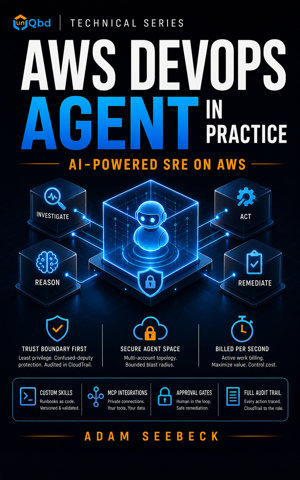
Chapter 1: Why AI Agents Change SRE on AWS
What You Will Learn
- Articulate the operational and business case for autonomous SRE agents using verified AWS customer metrics and preview benchmarks
- Distinguish AWS DevOps Agent from Bedrock AgentCore, Amazon Q Developer, and custom AgentCore SDK projects
- Identify the correct role of Python in this ecosystem (custom MCP servers and AgentCore extensions, not local agent runtime)
- Name the three agent types (
incident, prevention, and SRE) and describe the managed-service billing model
- Explain why Agent Spaces serve as the fundamental trust boundary before configuration
Prerequisites
No additional prerequisites beyond those listed in About This Book.
Concept Overview
Incidents are expensive. A production API latency spike at 2:00 AM triggers a PagerDuty storm, and the clock starts on customer impact, engineer fatigue, and revenue risk. Traditional response relies on manual correlation across CloudWatch metrics, deployment logs, and third-party tools. That correlation takes time. Autonomous agents remove that variable.
AWS DevOps Agent is a managed service for autonomous incident response, proactive prevention, and on-demand SRE work. It became generally available on March 31, 2026, in six AWS regions: us-east-1, us-west-2, eu-central-1, eu-west-1, ap-southeast-2, and ap-northeast-1. A stale AWS_DEFAULT_REGION in my shell profile once caused a RegionNotSupported error during my first Agent Space creation. The service does not run on your laptop. It does not ship as a Python package. It is AWS-managed compute that investigates, reasons, and acts within boundaries you define. It supports AWS, Azure, multi-cloud, and on-premises environments through built-in integrations.
Verified customer outcomes support the MTTR thesis. Western Governors University reduced incident resolution from two hours to twenty-eight minutes, a seventy-seven percent improvement. Zenchef traced a production API regression to root cause in approximately thirty minutes, a seventy-five percent reduction.
United Airlines unified incident detection across more than five hundred AWS accounts and thirty-eight thousand Dynatrace OneAgents. T-Mobile, a design partner during preview, used the Splunk integration to investigate workloads across multi-cloud and on-premises environments. AWS reported preview aggregates of up to seventy-five percent lower MTTR, eighty percent faster investigations, and ninety-four percent root cause accuracy. These are measured outcomes from production workloads, not marketing projections.
Three agent types cover the operational lifecycle. incident agents respond to live alerts and perform root-cause analysis. prevention agents run proactive reliability workflows to catch regressions before they reach production. SRE agents handle on-demand operational tasks such as backlog analysis, deployment readiness checks, and runbook execution. The agent augments SREs by automating repetitive correlation and evidence gathering. Human operators remain in the loop, especially for approval-gated remediation.
Sidebar: book taxonomy vs Console taxonomy. This book uses a three-type taxonomy because it matches how SRE teams actually reason about operational work. The AWS Console exposes a finer-grained taxonomy when you target Skills to specific phases of an investigation. Both are correct; they sit at different abstraction levels. | Book type (capability bucket) | AWS Console skill-targeting types | |---|---| | incident | Incident Triage, Incident RCA, Incident Mitigation | | prevention | Evaluation | | SRE | On-demand | | _(applies to all)_ | Generic | When you upload a Custom Skill in the Console, you will see all six options. Pick the most specific Console type that matches your skill's purpose, and use the book's three buckets when reasoning about Agent Space configuration and team ownership.
Billing is strictly per-second for active work. The rate is $0.0083 per agent-second, which translates to roughly $29.88 per hour of active investigation or remediation. Idle time and waiting time are not billed. New customers receive a two-month free trial starting with their first operational task after GA. The trial includes up to ten Agent Spaces, twenty hours of investigations, fifteen hours of evaluations, and twenty hours of on-demand SRE tasks. Customers on paid AWS Support plans also receive monthly DevOps Agent credits. The credit amount derives from the prior month's AWS Support charge.
Disambiguation is critical because adjacent offerings share similar names. Bedrock AgentCore is the substrate that provides memory, policies, evaluations, and observability. DevOps Agent is the operational product built on top of it. If you want to build a custom agent for a different domain, you use the AgentCore Python SDK (bedrock-agentcore). That is a different workflow with different IAM scopes.
Amazon Q Developer is the IDE and CLI assistant for code authoring. It helps you write Lambda functions or CloudFormation templates. It does not autonomously investigate incidents or restart ECS services. The two products have different SKUs, different IAM scopes, and different use cases.
Treating the DevOps Agent like a local Python library is the fastest way to misunderstand the architecture. Never try to pip-install the agent. It is managed compute. Python appears in two adjacent places: building custom MCP servers to extend the agent's tool set, and using the bedrock-agentcore SDK to build custom agents on the same substrate. For day-to-day operations, you interact with the agent through the AWS Management Console (for administration) and the AWS DevOps Agent web app (for investigations).
An Agent Space is the fundamental boundary of access. It defines which AWS accounts the agent can reach, which external tools it can connect to, and which users in your organization can interact with it. Think of it as the trust perimeter. During a prior incident review, I saw an engineer grant PowerUserAccess to an agent service role because configuration was faster than least-privilege scoping. That decision later allowed an autonomous remediation step to modify IAM policies without approval. Start with read-only access. Every team regrets skipping this step. Multi-account organizations typically run one Agent Space per environment (dev, staging, prod) or per business unit. Later chapters cover implementation. Here we focus on why the boundary matters.
The architecture separates into three layers. Bedrock AgentCore forms the substrate layer, providing memory, policy enforcement, evaluation harnesses, and observability. The DevOps Agent layer is the managed service itself, running in AWS compute that you do not operate. The knowledge and tool layer is where your organization contributes: Skills (markdown instruction packages), MCP integrations (built-in and custom), and approval policies. You own the knowledge layer. AWS owns the substrate and agent layers.
Step-by-Step Implementation
Step 1: Define Region Validation and Cost Functions
A utility module encodes the six supported GA regions and the per-second billing rate. These functions keep hardcoded service metadata out of your main script.
Install the required dependency before running the examples:
Centralizing region validation prevents silent failures when you deploy automation to unsupported regions. The cost function makes the per-second billing model concrete for planning and budgeting.
Step 2: Validate the Current AWS Session and Estimate Costs
The CLI script reads your default AWS region from the boto3 session configuration, which checks the AWS_REGION environment variable, AWS_DEFAULT_REGION, or the shared config file. It validates the region against the GA list, verifies credentials with STS, and prints cost estimates for common investigation durations.
This script ties standard boto3 session discovery to the validation and cost logic. It mirrors how you will interact with DevOps Agent adjacent services. You use boto3 for AWS API access. No dedicated DevOps Agent SDK exists. The STS call confirms that credentials are active before any region or cost logic runs. Run this script before onboarding. It confirms your default region is supported and calibrates cost expectations for incident investigations.
Step 3: Debug the Estimator with VS Code
VS Code with the Python extension lets you step through the script. Create a .vscode/launch.json file in your workspace root with the following configuration:
Set breakpoints on the STS call or the cost loop. Press F5 to start debugging. The integrated terminal ensures the Python extension picks up your virtual environment and AWS credential chain. This workflow is the same one you will use when developing custom MCP servers in later chapters.
Full Example
The following consolidated script combines the utility functions, session validation, and cost estimation into a single file you can run directly. It requires no local import of any DevOps Agent package; it only needs boto3, a configured AWS credential chain, and the environment variables AWS_REGION or AWS_DEFAULT_REGION.
The script isolates service constants in pure functions and keeps I/O in main. The STS validation ensures you catch credential problems early. This pattern extends directly to custom MCP servers and AgentCore tooling. The DevOps Agent itself remains a remote managed service. You configure it. You do not import it.
Common Mistakes
- Treating AWS DevOps Agent as a downloadable Python SDK. Many developers expect new AWS services to ship with a
pip-installable library. The service does not. It is managed compute that you configure through the AWS Management Console and the DevOps Agent web app. Use boto3 for AWS API automation, and reserve Python for custom MCP servers or AgentCore extensions. Verify the service entry point in the official AWS documentation before writing any import statements.
- Confusing Bedrock AgentCore with AWS DevOps Agent. Both use the word "Agent" and share underlying infrastructure, which leads teams to the wrong console or IAM policy. Bedrock AgentCore is the substrate for building custom agents. DevOps Agent is the managed SRE product built on it. Map your use case to the correct surface. Operational incident response uses DevOps Agent. Building a custom domain agent outside of SRE workflows uses the AgentCore SDK.
- Assuming idle agent time incurs billing. Many SaaS observability tools charge per host or per hour of uptime, so teams extrapolate that pattern to this service. DevOps Agent bills at $0.0083 per agent-second only during active work. Idle and waiting time is not billed. Model costs using active-work duration. A ninety-second triage costs approximately $0.75, not $30.
- Running investigations from unsupported regions. The boto3 default region in
~/.aws/config might be ap-south-1 or sa-east-1. The service is GA in only six regions. Attempting to configure Agent Spaces outside these regions will fail. Validate region support in your automation and CI pipelines before attempting provisioning.
- Conflating Amazon Q Developer with AWS DevOps Agent. Both are AI-powered AWS offerings and appear in similar console menus. Q Developer is an IDE and CLI assistant for code authoring. DevOps Agent is autonomous operations compute that investigates incidents and executes remediation workflows. Check the service console and IAM actions. They have different SKUs, different permissions, and different use cases.
- Cost predictability: Active-work billing rewards concise investigations. A twenty-minute root-cause analysis costs roughly $10, while a two-hour deep investigation costs roughly $60. Model monthly costs per Agent Space from active-work logs. Alert when projected spend exceeds your internal threshold.
- Region alignment: Run cost estimation and Agent Space administration from a supported region. Cross-region API calls add latency and complicate CloudTrail audit trails.
- No local agent runtime: Do not containerize or orchestrate the DevOps Agent process in ECS, EKS, or Lambda. The agent runs in AWS-managed compute. Your infrastructure responsibility ends at the Agent Space configuration and IAM trust boundary.
- Audit readiness: Enable CloudTrail in every connected account before granting the agent read access. CloudTrail logs are only available from the time logging is enabled. If logging is disabled, audit data for that period is lost.
- Skill governance: Custom Skills directly influence investigation outcomes. Store them in version control, require pull request review, and promote across environments only after validation. Chapter 11 covers eval suites and change management.
- Write access discipline: Do not enable write access until you can price a twenty-minute investigation in your head. Approval gates are configurable per Agent Space, but the permission boundary you grant through IAM is the hard limit.
Summary
Autonomous AI agents represent a structural shift in SRE operations. Verified customer outcomes demonstrate significant improvements. Automated correlation and reasoning reduce MTTR by up to seventy-five percent. Investigations complete eighty percent faster. Root cause accuracy reaches ninety-four percent in preview aggregates. AWS DevOps Agent delivers this as a managed service with per-second billing, human-in-the-loop approval gates, and explicit trust boundaries through Agent Spaces.
The service is not a local SDK, an IDE plugin, or a generic agent framework. It is operational compute that you configure, bound, and audit. Python enters the picture only at the edges. Custom MCP servers extend the tool layer. The separate AgentCore SDK builds custom agents on the same substrate. The three-layer model (substrate, agent, knowledge/tool) clarifies who owns what. AWS runs the substrate and agent. You own the Skills, integrations, and policies that define how the agent behaves inside your environment.
Key Terms
- Agent Space: The trust boundary that scopes AWS accounts, external integrations, and user access for an agent.
- Agent type: The classification of agent work:
incident, prevention, or SRE (on-demand).
- Skill: A markdown instruction package that injects operational knowledge into an agent's context.
- Bedrock AgentCore: The managed substrate that provides memory, policies, evaluations, and observability for DevOps Agent.
- Agent-second: The per-second billing unit for active agent work. Idle time is not charged.
- MCP (Model Context Protocol): The protocol used to connect the agent to external tools and custom servers.
Mini Quiz
- A platform team wants to reduce MTTR for ECS service outages. They plan to install a Python package named
aws-devops-agent on a bastion host to trigger investigations locally. What is the correct architectural approach?
A. Install the package and configure it with AWS credentials
B. Use Amazon Q Developer to investigate the ECS service directly
C. Deploy the agent as a Lambda function using a boto3 devops-agent client
D. Use the AWS DevOps Agent web app and configure an Agent Space with CloudWatch and ECS read access
- Looking at the
calculate_investigation_cost function in the chapter's examples, what happens when duration_minutes is negative?
A. The function returns 0.0
B. The function returns None
C. The function converts the value to positive before calculating
D. The function raises a ValueError
- An SRE reviews a monthly bill and sees a $29.88 charge from AWS DevOps Agent. The team ran several investigations this month. Which statement accurately explains the charge?
A. The agent was idle for one hour of uptime
B. The charge is the monthly base fee for running one Agent Space
C. The agent processed CloudWatch alarms for one hour continuously
D. The charge represents approximately one hour of active investigation time
- A company runs production workloads in
eu-west-2 (London) and us-east-1 (N. Virginia). The SRE team wants to onboard AWS DevOps Agent. Which configuration is valid?
A. Create Agent Spaces in both regions because all European and US regions are supported
B. Use the AgentCore SDK to run a custom agent in eu-west-2 and use the managed service in us-east-1
C. Create an Agent Space in eu-west-2 and replicate it to us-east-1
D. Create an Agent Space only in us-east-1 because it is a supported GA region
- A platform team needs to budget for twenty incident investigations per month, with an average duration of fifteen minutes each. Which calculation reflects the expected DevOps Agent cost?
A. 20 × 15 × $0.0083
B. 15 × 60 × $0.0083 × 24 × 30
C. 20 × $29.88
D. 20 × 15 × 60 × $0.0083
- A developer needs assistance writing Python unit tests for a Lambda function inside VS Code. Which AWS service is the appropriate tool for this task?
A. Amazon Q Developer
B. AWS DevOps Agent
C. AWS DevOps Agent incident agent
D. Bedrock AgentCore
Answers are provided in the Answer Key at the end of the book.
Activity
- Copy the consolidated
devops_agent_cost_estimator.py script from the Full Example into a new file named cost_estimator_cli.py
- Add
import argparse, import json, and import sys at the top of the file
- Define a
parse_args() function that uses argparse.ArgumentParser to accept --region, --durations, and --json arguments; --region should default to the AWS_REGION environment variable or us-east-1 when unset; --durations should accept a comma-separated string of floating-point minutes
- Modify
main() to call parse_args(), validate the provided region with is_supported_region(), parse each duration as a float, and calculate costs for each valid duration
- Reject any negative duration values; if a negative is provided, print an error to
stderr and exit with sys.exit(1)
- If the region is unsupported, print a clear error message to
stderr and exit with sys.exit(1)
- When
--json is passed, output a JSON object containing the region, a boolean supported field, and a costs list with one object per duration
- Run the script with your default AWS region and a custom duration list to verify both plain text and JSON output formats