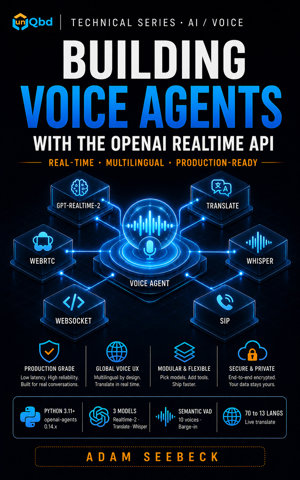
Build a production voice agent in Python that handles live audio, barge-in mid-sentence, function calls, phone-call attach over SIP, and live speech translation.
Identify the three GA model IDs and their distinct output shapes
Select the correct transport (WebSocket, SIP, or WebRTC) based on where audio originates and which layer owns the connection
Describe the four-layer architecture of a production Python voice-agent service
Explain why browser WebRTC is a JavaScript-side concern and what responsibilities remain on the Python service
Recognize retired beta model IDs and understand that Chapter 12 contains the detailed migration guide
Prerequisites
Python 3.9 or later with asyncio support
Install the Python SDKs: pip install openai-agents openai
Export your credential: export OPENAI_API_KEY="sk-..."
Run chapter scripts with python <filename>.py
Concept Overview
OpenAI Realtime API entered general availability on May 7, 2026. That same day, the OpenAI-Beta: realtime=v1 header and the four preview model strings were marked removed. The underlying beta interface ran 5 additional days as a migration courtesy window and was fully removed on May 12, 2026.
If you are starting fresh, use only the three GA model IDs. Beta-era applications must migrate; Chapter 12 covers the path, but treat the GA surface as the only one that exists for now.
Three production models ship with the API, each with a distinct output shape. gpt-realtime-2 is the default speech-to-speech agent model, billed at $0.064/min. Its knowledge cutoff is September 30, 2024. It offers GPT-5-class reasoning, a 128K context window (up from 32K on beta gpt-realtime-1.5), configurable reasoning effort, and function calling.
gpt-realtime-translate performs live speech-to-speech translation from more than 70 input languages into 13 output languages (English, Spanish, Portuguese, French, German, Italian, Japanese, Korean, Chinese, Russian, Hindi, Indonesian, and Vietnamese) while preserving speaker pace and automatically detecting the source language; it bills at $0.034/min.
gpt-realtime-whisper is a streaming speech-to-text model that emits partial transcripts as the speaker talks at $0.017/min; it does not generate audio output.
Route by output shape: speech-to-speech goes to gpt-realtime-2, translation to gpt-realtime-translate, transcription to gpt-realtime-whisper. These three are not interchangeable.
In this book, the audio pipeline means capture and playback of raw PCM16 frames at 24 kHz. Tool execution refers to the Python functions the model calls during a conversation. Session history is the ordered transcript of turns. It gives the model context.
openai-agents provides the supported high-level Python surface. Its three core classes are RealtimeAgent, which defines behavior and tools; RealtimeRunner, which orchestrates transport and configuration; and RealtimeSession, which is the live event stream your code consumes.
Under the hood, OpenAIRealtimeWebSocketModel drives the default transport, while OpenAIRealtimeSIPModel handles telephony attach. The base openai package can emit raw events over WebSockets, but new production code should build on the agents.realtime module.
A production Realtime voice application has four stable layers. The audio I/O layer captures microphone input and plays model output; on a server-managed app this is typically PCM16 at 24 kHz. The transport layer moves audio and control events between your service and OpenAI; the choice is driven by where the audio originates, not by preference.
The session and conversation layer manages model configuration, turn detection, session history, interruptions, and tool execution; in the Python SDK this is RealtimeRunner and RealtimeSession. The application and tool layer holds your domain logic: function definitions, business rules, guardrails, and downstream service calls.
Keeping these layers distinct prevents you from mixing audio device code with telephony signaling or conversation state with business policy. Mixing these layers is the fastest way to turn a voice agent into an unmaintainable monolith.
Three transports are exposed by the API. Server-side WebSockets are the default Python authoring path; they are used when your backend owns the audio pipeline, tool execution, and session history.
For telephony, OpenAI sends a realtime.call.incoming webhook to your service. Your endpoint accepts the call through the Realtime Calls API, obtains a call_id, and attaches a runner using native SIP signaling. This handshake is the SIP attach flow.
Browser WebRTC is the client-side path; it runs in JavaScript using RTCPeerConnection and an ephemeral key minted by your Python backend. The Python SDK does not provide a browser WebRTC abstraction. Browser WebRTC is a JavaScript concern. The Python SDK does not belong there.
At GA, the voice catalog grew to ten options: alloy, ash, ballad, coral, echo, sage, shimmer, verse, marin, and cedar. The last two were added at GA and are exclusive to the Realtime API; they are not available in Chat Completions TTS.
cedar is the recommended default for general speech-to-speech; marin is the better pick for translation and announcement-style output. Both model_name and audio.output.voice are locked after the model produces its first audio output in a session; you cannot change them mid-call. Choose the voice and model at session start.
Step-by-Step Implementation
Step 1: Configure a Speech-to-Speech Agent with gpt-realtime-2
This snippet is a session smoke test. It sends a text message to verify connectivity; it does not capture live microphone audio.
semantic_vad is content-based turn detection. The model infers when the user has finished speaking from the meaning of the utterance, not from audio energy. Setting interrupt_response to True allows barge-in, which means the user can speak over the model and the model will stop to listen.
import asyncio

from agents.realtime import RealtimeAgent, RealtimeRunner

async def main() -> None:
    agent = RealtimeAgent(
        name="Assistant",
        instructions="You are a helpful voice assistant. Keep responses short and conversational.",
    )

    runner = RealtimeRunner(
        starting_agent=agent,
        config={
            "model_settings": {
                "model_name": "gpt-realtime-2",
                "audio": {
                    "input": {
                        "format": "pcm16",
                        "turn_detection": {
                            "type": "semantic_vad",
                            "interrupt_response": True,
                        },
                    },
                    "output": {
                        "format": "pcm16",
                        "voice": "ash",
                    },
                },
            }
        },
    )

    session = await runner.run()
    async with session:
        await session.send_message("Say hello in one short sentence.")
        async for event in session:
            if event.type == "audio":
                # Forward event.audio.data to your speaker or downstream WebSocket.
                pass
            elif event.type == "agent_end":
                break
            elif event.type == "error":
                print(f"Error: {event.error}")
                break

if __name__ == "__main__":
    asyncio.run(main())
Nested audio.input and audio.output shapes are the preferred GA configuration style. They replace older flat aliases such as input_audio_format. When I migrated a preview-era agent to GA, switching to the nested audio shape caught three stale flat aliases that would have failed at runtime. Explicitly set model_name, voice, and turn_detection at startup. Surprises at runtime are expensive.
Step 2: Live Translation with gpt-realtime-translate
This snippet shows configuration and event handling only. Your application supplies audio input through a capture device or stream; Chapter 4 covers wiring live audio.
This model outputs translated audio and translated text simultaneously. The optional audio.input.transcription block adds a source-language transcript via gpt-realtime-whisper. Without it, you receive only the translated streams.
import asyncio

from agents.realtime import RealtimeAgent, RealtimeRunner

async def main() -> None:
    agent = RealtimeAgent(
        name="Translator",
        instructions="Translate speech into English. Do not editorialize.",
    )

    runner = RealtimeRunner(
        starting_agent=agent,
        config={
            "model_settings": {
                "model_name": "gpt-realtime-translate",
                "audio": {
                    "input": {
                        "format": "pcm16",
                        "transcription": {"model": "gpt-realtime-whisper"},
                        "turn_detection": {"type": "semantic_vad"},
                    },
                    "output": {
                        "format": "pcm16",
                        "voice": "marin",
                    },
                },
            }
        },
    )

    session = await runner.run()
    async with session:
        async for event in session:
            if event.type == "audio":
                # Translated audio stream.
                pass
            elif event.type in {"history_added", "history_updated"}:
                # Translated text and source-language transcript appear in event.history[-1].content.
                pass
            elif event.type == "error":
                print(f"Error: {event.error}")
                break

if __name__ == "__main__":
    asyncio.run(main())
Replace the pass placeholders with your audio playback and text rendering logic. In a real application you would forward event.audio.data to a speaker and append text deltas to a UI element.
Step 3: Streaming Transcription with gpt-realtime-whisper
Your audio capture device or upstream stream supplies the PCM16 input frames. The audio.output block is omitted because gpt-realtime-whisper does not synthesize speech.
gpt-realtime-whisper is a streaming STT surface, not a drop-in replacement for the batch Transcriptions API. Streaming transcripts surface through the openai-agents history_added and history_updated events. Walk event.history[-1].content to get the latest text as the user speaks.
import asyncio

from agents.realtime import RealtimeAgent, RealtimeRunner

async def main() -> None:
    agent = RealtimeAgent(
        name="Transcriber",
        instructions="Transcribe spoken audio. Do not respond, only listen.",
    )

    runner = RealtimeRunner(
        starting_agent=agent,
        config={
            "model_settings": {
                "model_name": "gpt-realtime-whisper",
                "audio": {
                    "input": {
                        "format": "pcm16",
                        "turn_detection": {"type": "semantic_vad"},
                    },
                },
            }
        },
    )

    session = await runner.run()
    async with session:
        async for event in session:
            if event.type in {"history_added", "history_updated"}:
                # Walk event.history[-1].content for the latest transcript text.
                pass
            elif event.type == "error":
                print(f"Error: {event.error}")
                break

if __name__ == "__main__":
    asyncio.run(main())
This pattern is appropriate for live captions, meeting notes, and dictation pipelines. Because the model does not generate responses, the agent instructions are strictly a guardrail to prevent accidental voice output.
Step 4: SIP Attach for Inbound Phone Calls
The SIP transport starts with a realtime.call.incoming webhook from OpenAI. Your service must accept the call through the Realtime Calls API, extract the call_id, and then attach a RealtimeRunner using OpenAIRealtimeSIPModel. The audio layer is the phone provider; your Python service never touches raw microphone bytes.
from fastapi import FastAPI, Request
from agents.realtime import RealtimeAgent, RealtimeRunner
from agents.realtime.model import OpenAIRealtimeSIPModel

app = FastAPI()
agent = RealtimeAgent(name="PhoneAgent", instructions="You are a phone support agent.")

@app.post("/webhooks/openai")
async def openai_webhook(request: Request) -> dict:
    payload = await request.json()
    if payload.get("type") == "realtime.call.incoming":
        data = payload.get("data") or {}
        call_id = data.get("call_id")
        if not call_id:
            return {"ok": False}
        # Accept the call via the Realtime Calls API before attaching.
        # Production code should also verify the webhook signature.
        runner = RealtimeRunner(
            starting_agent=agent,
            model=OpenAIRealtimeSIPModel(),
            config={
                "model_settings": {
                    "model_name": "gpt-realtime-2",
                    "audio": {
                        "input": {"format": "pcm16"},
                        "output": {"format": "pcm16", "voice": "ash"},
                    },
                }
            },
        )
        session = await runner.run(model_config={"call_id": call_id})
        # Schedule session event processing in a background task.
        return {"ok": True}
    return {"ok": True}
I validate the webhook signature and call_id before the SIP runner is constructed. A malformed payload should never reach agent configuration. The full Twilio SIP bridge topology is referenced in the openai-agents repository examples.
Step 5: Ephemeral Key Minting for Browser WebRTC
Browser clients must never hold the full API key. This endpoint uses the base openai package because the openai-agents SDK does not expose the realtime sessions token endpoint; minting ephemeral keys is a backend responsibility of the base client. The browser-side WebRTC code is JavaScript; your Python responsibility ends at token issuance and any optional sideband server-control WebSocket.
from fastapi import FastAPI
from openai import OpenAI

app = FastAPI()
client = OpenAI()  # Reads OPENAI_API_KEY from environment.

@app.post("/session-token")
def session_token() -> dict:
    """Mint an ephemeral Realtime API key for browser WebRTC clients."""
    resp = client.realtime.client_secrets.create(
        session={
            "type": "realtime",
            "model": "gpt-realtime-2",
            "audio": {"output": {"voice": "cedar"}},
        },
    )
    return {"client_secret": resp.value, "expires_at": resp.expires_at}
client.realtime.client_secrets.create is the GA token-minting endpoint, mapped to POST /v1/realtime/client_secrets. It replaced the retired beta path client.beta.realtime.sessions.create. The minted token defaults to a 60-second TTL. Generate it immediately before the browser initiates its peer connection. Don't cache it in your backend for reuse across clients.
Full Example
When you do not pass an explicit model argument, RealtimeRunner defaults to OpenAIRealtimeWebSocketModel. The following script consolidates the default server-side WebSocket path into a single runnable file. It demonstrates the full session lifecycle with gpt-realtime-2, nested audio configuration, and event handling. SIP and WebRTC patterns share the same layer boundaries. Their entry points differ.
import asyncio

from fastapi import FastAPI, Request
from openai import OpenAI
from agents.realtime import RealtimeAgent, RealtimeRunner
from agents.realtime.model import OpenAIRealtimeSIPModel

app = FastAPI()
client = OpenAI()
sip_agent = RealtimeAgent(name="PhoneAgent", instructions="You are a phone support agent.")

@app.post("/webhooks/openai")
async def openai_webhook(request: Request) -> dict:
    payload = await request.json()
    if payload.get("type") == "realtime.call.incoming":
        data = payload.get("data") or {}
        call_id = data.get("call_id")
        if not call_id:
            return {"ok": False}
        # Accept the call via the Realtime Calls API before attaching.
        # Production code should also verify the webhook signature.
        runner = RealtimeRunner(
            starting_agent=sip_agent,
            model=OpenAIRealtimeSIPModel(),
            config={
                "model_settings": {
                    "model_name": "gpt-realtime-2",
                    "audio": {
                        "input": {"format": "pcm16"},
                        "output": {"format": "pcm16", "voice": "ash"},
                    },
                }
            },
        )
        session = await runner.run(model_config={"call_id": call_id})
        # Schedule session event processing in a background task.
        return {"ok": True}
    return {"ok": True}

@app.post("/session-token")
def session_token() -> dict:
    """Mint an ephemeral Realtime API key for browser WebRTC clients."""
    resp = client.realtime.client_secrets.create(
        session={
            "type": "realtime",
            "model": "gpt-realtime-2",
            "audio": {"output": {"voice": "cedar"}},
        },
    )
    return {"client_secret": resp.value, "expires_at": resp.expires_at}

async def main() -> None:
    agent = RealtimeAgent(
        name="Assistant",
        instructions="You are a helpful voice assistant. Keep responses short and conversational.",
    )

    runner = RealtimeRunner(
        starting_agent=agent,
        config={
            "model_settings": {
                "model_name": "gpt-realtime-2",
                "audio": {
                    "input": {
                        "format": "pcm16",
                        "turn_detection": {
                            "type": "semantic_vad",
                            "interrupt_response": True,
                        },
                    },
                    "output": {
                        "format": "pcm16",
                        "voice": "ash",
                    },
                },
            }
        },
    )

    session = await runner.run()
    async with session:
        await session.send_message("Say hello in one short sentence.")
        async for event in session:
            if event.type == "audio":
                # In production, forward event.audio.data to your speaker or client stream.
                pass
            elif event.type in {"history_added", "history_updated"}:
                # Walk event.history[-1].content for the latest text chunk.
                pass
            elif event.type == "agent_end":
                break
            elif event.type == "error":
                print(f"Session error: {event.error}")
                break

if __name__ == "__main__":
    asyncio.run(main())
This example omits actual audio playback hardware calls; Chapter 4 introduces the audio_io.py helper that wraps sounddevice for cross-platform capture and playback. The structure here, RealtimeAgent plus RealtimeRunner plus async event loop, is the canonical pattern. Every subsequent chapter builds on it.
Common Mistakes
Using retired beta model IDs. The preview identifiers that preceded the GA release were removed on May 7, 2026. Requests against the GA endpoint with retired model IDs will fail with a model-not-found error. Use only gpt-realtime-2, gpt-realtime-translate, or gpt-realtime-whisper. Audit your configuration files for stale strings on every SDK upgrade.
Treating `gpt-realtime-whisper` as a batch transcription endpoint. Developers familiar with the older batch Transcriptions API model sometimes expect a single request/response call. gpt-realtime-whisper is a streaming STT model consumed through an async event loop. Use it for live captions and dictation; use the batch Transcriptions API for offline files.
Attempting browser WebRTC peer connections from Python. The openai-agents SDK ships OpenAIRealtimeWebSocketModel and OpenAIRealtimeSIPModel. It does not ship a browser WebRTC abstraction. Browser RTCPeerConnection logic belongs in JavaScript. Python owns the ephemeral key endpoint and optional sideband control only.
Mutating `voice` or `model_name` after the first audio output. Attempting to mutate voice or model_name after the first audio output is an invalid session mutation. The API ignores the update. Set both values at session start and treat them as immutable.
Selecting `server_vad` for natural conversation.server_vad uses an energy threshold that clips fast speakers and pauses. semantic_vad infers turn completion from content and is the GA default for good reason. Use server_vad only in noisy environments where energy thresholds are more reliable than model inference.
Sending the full `OPENAI_API_KEY` to browser clients. Don't ship the full API key to browser clients. Always mint ephemeral session tokens server-side and return only the short-lived client_secret. Exposing the full key is a credential leak, not an architecture choice.
Leaving the `OpenAI-Beta: realtime=v1` header in your client. The beta header was removed at GA. Any request still sending it against the GA endpoint will be rejected. Grep your codebase for realtime=v1 on every SDK upgrade and strip it.
Expecting word-level timestamps, confidence scores, or diarization from `gpt-realtime-whisper`. It emits only partial and final transcript text. If you need word timing, per-word confidence, or speaker diarization, run a downstream pass with pyannote, WhisperX, or Deepgram.
Performance and Production Considerations
gpt-realtime-2 exposes five reasoning-effort tiers: minimal, low, medium, high, and xhigh. low is the GA default. Latency on gpt-realtime-2 at low typically lands between 300 ms and 700 ms from end-of-user-utterance to start-of-model-audio. Raising reasoning effort to medium adds 100 ms to 300 ms; high and xhigh add more. Benchmark your actual network path; published baselines are guidance, not SLAs.
Audio chunk size directly affects perceived responsiveness. Chunks smaller than 20 ms reduce time-to-first-audio but increase event overhead. The production sweet spot is 40 ms to 100 ms of PCM16 audio per frame. Oversized audio chunks hurt latency more than reasoning effort does. The snippets in this chapter omit chunking logic; Chapter 5 covers it in depth.
gpt-realtime-2 bills audio output tokens at twice the rate of audio input tokens ($64.00 per 1M versus $32.00 per 1M). Don't conflate the two; doing so under-counts production spend. Cached input audio tokens bill at $0.40 per 1M, roughly 80x cheaper than uncached input. Cache hits require byte-identical prefixes, so keep system prompts and tool schemas byte-identical across sessions; even a trailing whitespace change invalidates the cache.
The 128K context window on gpt-realtime-2 is a session-wide token budget, not an unlimited buffer. Long-running sessions require history truncation or checkpointing. Plan truncation before you approach the limit; the SDK does not auto-truncate.
Realtime sessions are stateful WebSocket connections. Standard HTTP retry-on-429 patterns do not apply. When a disconnect occurs, your service must rebuild session state from history and reconnect. Chapter 12 covers reconnection and SIP reattach strategies.
Realtime audio is not on OpenAI's or Azure's BAA-eligible service list as of May 2026. Don't route protected health information through these endpoints until BAA coverage is published.
Summary
OpenAI Realtime API reached GA on May 7, 2026. The beta endpoint and all preview model IDs were retired that day. The three production models, gpt-realtime-2, gpt-realtime-translate, and gpt-realtime-whisper, serve distinct purposes: speech-to-speech agents, live multilingual translation, and streaming transcription. Select the model whose output shape matches your application requirement.
Transport choice is determined by where audio originates. Server-side Python services use WebSocket via OpenAIRealtimeWebSocketModel. Telephony flows use SIP via OpenAIRealtimeSIPModel. Browser WebRTC is JavaScript-side. Python handles only ephemeral key minting and sideband control.
A production voice agent separates concerns into four layers: audio I/O, transport, session and conversation, and application tools. Keep these boundaries strict. Choose semantic_vad for natural conversation, set voice and model at session start, and never expose the full API key to a browser. The migration path for beta-era applications is covered in Chapter 12.
Key Terms
`gpt-realtime-2`: GA speech-to-speech model with GPT-5-class reasoning, 128K context (up from 32K on beta gpt-realtime-1.5), configurable reasoning effort, and function calling. Knowledge cutoff September 30, 2024. Billed at $0.064/min.
`gpt-realtime-translate`: GA live speech-to-speech translation model supporting 70+ input languages and 13 output languages (English, Spanish, Portuguese, French, German, Italian, Japanese, Korean, Chinese, Russian, Hindi, Indonesian, Vietnamese) with automatic source detection. Billed at $0.034/min.
`gpt-realtime-whisper`: GA streaming speech-to-text model that emits partial transcripts during speech; it produces no audio output. Billed at $0.017/min.
`semantic_vad`: Content-based turn detection that infers utterance completion from meaning rather than audio energy; the GA default.
`server_vad`: Energy-threshold turn detection; appropriate only for noisy environments where energy levels are more reliable than semantic inference.
`OpenAIRealtimeWebSocketModel`: Default server-side transport class for Python backend services that own the audio pipeline.
`OpenAIRealtimeSIPModel`: Telephony transport class used to attach a RealtimeRunner to an inbound phone call via call_id.
Ephemeral key: Short-lived session token minted server-side for browser WebRTC clients so the full API key never reaches the browser.
Voice: The model's output speaker identity. One of ten options; locked after the first audio output in a session.
Cached input tokens: Repeated static prompt content on gpt-realtime-2 that qualifies for reduced-rate billing.
Mini Quiz
A company needs a Python backend service to answer inbound PSTN phone calls with a speech-to-speech agent. Which transport and model combination is correct?
A. Browser WebRTC with gpt-realtime-2
B. Server-side WebSocket with gpt-realtime-whisper
C. SIP attach with gpt-realtime-2
D. SIP attach with gpt-realtime-translate
During code review, you see a session.update call that attempts to mutate audio.output.voice to "coral" after the model has already spoken once. How should you classify this pattern?
A. The voice switches for the next response only
B. The session automatically reconnects with the new voice
C. The API returns a 400 Bad Request and disconnects
D. This is an invalid session mutation; the voice is locked after the first audio output and the update is ignored
Which model emits translated audio, translated text, and an optional source-language transcript simultaneously?
A. gpt-realtime-2
B. gpt-realtime-whisper
C. gpt-realtime-translate
D. The OpenAI Translations API (text-only batch translation)
A streaming broadcast requires live captions with no model audio response. Which configuration is appropriate?
A. gpt-realtime-whisper with no audio.output block
B. gpt-realtime-2 with audio.output.voice set to "ash"
C. gpt-realtime-translate with audio.input.transcription enabled
D. gpt-realtime-2 with reasoning effort set to "minimal"
A frontend engineer proposes storing OPENAI_API_KEY in browser localStorage to initiate a WebRTC connection. What is the correct response?
A. Allow it, because browser WebRTC requires the full API key
B. Refuse, because the Realtime API does not support WebRTC
C. Allow it only if the key is base64-encoded first
D. Refuse; the Python backend must mint an ephemeral token instead
In the four-layer production voice-agent stack, where does RealtimeRunner belong?
A. Audio I/O layer
B. Transport layer
C. Session and conversation layer
D. Application and tool layer
*
Answers are provided in the Answer Key at the end of the book.
Activity
Create a new file named config_validator.py in your project root.
Define a constant GA_MODEL_IDS containing the strings gpt-realtime-2, gpt-realtime-translate, and gpt-realtime-whisper.
Define a constant VALID_VOICES containing the ten GA voice identifiers: alloy, ash, ballad, coral, echo, sage, shimmer, verse, marin, and cedar.
Define a constant RETIRED_BETA_IDS containing the strings gpt-4o-realtime-preview, gpt-4o-realtime-preview-2024-10-01, and gpt-4o-mini-realtime-preview.
Write a function validate_config(config: dict) -> list[str] that inspects a configuration dictionary shaped like the model_settings blocks shown in this chapter.
Implement the following validation rules: model_name must exist in GA_MODEL_IDS; if audio.output.voice is present, it must exist in VALID_VOICES; if model_name is gpt-realtime-whisper, emit a warning when audio.output is present because that model produces no audio; if model_name is in RETIRED_BETA_IDS, return an explicit migration error.
Return an empty list when validation passes. Prefix warnings with WARNING: and errors with ERROR: so callers can distinguish fatal problems from advisory notices.
Don't trust user-supplied config dictionaries; validate every identifier before the session starts.
Create a second file named test_validator.py containing three test dictionaries: a valid gpt-realtime-2 configuration, a configuration using a retired beta model ID, and a configuration using an invalid voice such as onyx.
Run test_validator.py and confirm that the validator accepts the valid configuration while rejecting the retired ID and invalid voice with clear error messages.
Build a production voice agent in Python that handles live audio, barge-in mid-sentence, function calls, phone-call attach over SIP, and live speech translation. This book ships working Python code on OpenAI's GA Realtime API across all three new models (gpt-realtime-2 for speech-to-speech with GPT-5-class reasoning and a 128K context window, gpt-realtime-translate for live translation across 70 input and 13 output languages, and gpt-realtime-whisper for streaming transcription) and all three transports (WebSocket, SIP, browser WebRTC) on the openai-agents SDK.
You build a real voice agent end to end. Capture live PCM16 audio from a microphone, route it into a gpt-realtime-2 WebSocket session, play model audio back without blocking the asyncio event loop, and handle interruption with conversation truncation. Wire up function calling with voice-safe input validation and per-tool authorization. Add streaming transcription on the same session. Build a live-translation pipeline on the dedicated translate endpoint with the new marin voice. Attach inbound phone calls over SIP. Mint ephemeral keys for a browser WebRTC client and run Python sideband control. Then ship: latency budgets, cost modeling, evaluation harnesses, blue-green deploys, and reconnection policy.
What you build:
- A reusable RealtimeRunner factory with frozen SessionConfig, validated against the 10 GA voices and the 3 GA model IDs
- A live audio pipeline that bridges sounddevice background threads and asyncio with bounded queues and explicit thread-to-async handoffs
- Manual turn control, server VAD, semantic VAD, and barge-in handling with response.cancel + conversation.item.truncate aligned to what the user actually heard
- Function calling with a ToolRegistry, voice-safe argument coercion, redaction of spoken PII, and per-tool authorization tied to the caller context
- A live-translation service with separate source-transcript, target-text, and target-audio streams, pace preservation, and the marin voice for translation playback
- SIP attach with reconnect policy, telephony-grade latency budgets, and a server that stays out of the media path
- Browser WebRTC with ephemeral key minting at /v1/realtime/client_secrets, sideband control over a separate Python channel, and correlation-id-based state sharing
- Observability and evals: latency budgets, cost estimation at the per-session level, transcript-quality scoring, and CI-failing regression detection
- Deployment: tenant-scoped sessions, blue-green rotation, reconnection policy, and an end-to-end multilingual phone-line case study
What makes this book different:
- GA-first, zero beta drag. The beta endpoint and gpt-4o-realtime-preview* models were removed May 7, 2026. This book targets only the GA surface with the correct model IDs and endpoint paths.
- All three GA models in one book. Most upcoming Realtime books will cover only the chat model. This book ships dedicated chapters for translation and streaming transcription with their endpoint-specific behavior.
- Three transports, with their boundaries. WebSocket, SIP, and browser WebRTC each get a chapter with the architectural rules called out. WebRTC is JavaScript-only by design; the Python role is ephemeral keys and sideband.
- Production discipline. Latency budgets, cost models, reconnection, and CI-failing evals ship as code, not as appendix advice.
Prerequisites: Intermediate Python (3.11+). Familiarity with asyncio and basic audio concepts. An OpenAI API key with Realtime access. No prior voice-agent experience required.
Three GA models. Three transports. Production Python in 12 chapters. Build for the stream.
Release DateMay 17, 2026
GenreSoftware & AI Development
ISBN979-8-90377-044-1
Read and listen on the go with the unQbd app.Get the app