Chapter 1: Introduction to Entity Framework Core and .NET 10
What You Will Learn
Articulate the object-relational impedance mismatch and how ORMs bridge the gap between C# objects and relational databases
Identify the architectural components of EF Core including DbContext, Change Tracker, and the LINQ translation pipeline
Evaluate the provider ecosystem and select appropriate database backends for specific deployment scenarios
Compare EF Core against alternative data access technologies to inform architectural decisions
Map the domain model of the Inventory and Order Management System for a Retail Business to database concepts
Understand the versioning alignment between EF Core 10 and .NET 10
Prerequisites
No additional prerequisites beyond those listed in About This Book.
Concept Overview
In production, I have seen teams maintain thousands of lines of mapping code that EF Core eliminates entirely. The object-relational impedance mismatch creates fundamental friction. Object-oriented programming organizes data through encapsulation, inheritance, and object references. Relational databases store data in normalized tables connected by foreign keys. These paradigms don't align naturally. Mapping between them requires repetitive boilerplate code, manual SQL construction, and tedious data transformation.
Entity Framework Core eliminates this friction. It serves as an object-relational mapper (ORM) that translates .NET objects into database rows and LINQ expressions into SQL queries. You manipulate C# objects. The framework handles connection management, command generation, and result materialization.
EF Core 10 ships alongside .NET 10. This synchronization ensures compatibility with the latest C# language features and runtime optimizations. Both fall under unified long-term support policies, making them suitable for enterprise applications with extended maintenance requirements.
The architecture centers on three primary components. The DbContext acts as a session with the database, coordinating connections, transactions, and change tracking. The Change Tracker maintains a snapshot of entity states, detecting modifications that require persistence. The LINQ Translation Pipeline converts expression trees into provider-specific SQL dialects. Database providers implement the abstraction layer that generates actual SQL commands for SQL Server, PostgreSQL, SQLite, or Cosmos DB. Each component serves a distinct purpose.
Throughout this book, we will construct the Inventory and Order Management System for a Retail Business. This application manages product catalogs with categories, tracks inventory levels, processes customer orders, and maintains order line items. The domain presents realistic complexity. Many-to-many relationships connect products and categories. Concurrency conflicts emerge during stock updates. Complex queries drive sales analytics. The system requires consistent transactional integrity when deducting inventory and creating order records simultaneously.
Step-by-Step Implementation
Step 1: Understanding the Impedance Mismatch
Consider retrieving a product with its category from a SQL Server database using traditional ADO.NET. You open a connection, execute a command, iterate through a reader, and manually map columns to object properties. For hierarchical data, you write join logic and handle null checks. The code grows verbose quickly.
EF Core eliminates this ceremony. You define a class. The framework infers the table structure, generates the query, and hydrates the object graph. This abstraction accelerates development and reduces mapping errors.
Step 2: Examining the DbContext
The DbContext serves as the primary interaction point. It exposes DbSet properties representing database tables. Entity states are tracked. Identity resolution and save coordination are managed internally.
Create a new class named InventoryContext. This will coordinate all database operations for the retail system.
using Microsoft.EntityFrameworkCore;

namespace InventoryManagement.Data;

public class InventoryContext : DbContext
{
    // These DbSets will map to database tables
    public DbSet<Product> Products { get; set; }
    public DbSet<Category> Categories { get; set; }
    public DbSet<Customer> Customers { get; set; }
    public DbSet<Order> Orders { get; set; }
    public DbSet<OrderItem> OrderItems { get; set; }

    public InventoryContext(DbContextOptions<InventoryContext> options)
        : base(options)
    {
    }

    protected override void OnModelCreating(ModelBuilder modelBuilder)
    {
        // Configuration will be added in subsequent chapters
        base.OnModelCreating(modelBuilder);
    }
}
The constructor accepts DbContextOptions. This pattern enables dependency injection and supports multiple environments without hardcoding connection strings. The DbSet properties expose queryable collections for each domain entity.
Step 3: Configuring the Database Provider
EF Core requires a provider to generate database-specific SQL. Install the SQL Server provider via NuGet Package Manager in Visual Studio. Right-click the solution in Solution Explorer, select Manage NuGet Packages for Solution, then search for Microsoft.EntityFrameworkCore.SqlServer.
Configure the provider in your application startup. The following snippet demonstrates registration within a generic host builder context:
using Microsoft.EntityFrameworkCore;
using InventoryManagement.Data;

var builder = Host.CreateApplicationBuilder(args);

builder.Services.AddDbContext<InventoryContext>(options =>
    options.UseSqlServer(
        builder.Configuration.GetConnectionString("DefaultConnection"),
        sqlOptions =>
        {
            sqlOptions.EnableRetryOnFailure(
                maxRetryCount: 3,
                maxRetryDelay: TimeSpan.FromSeconds(30),
                errorNumbersToAdd: null);
        }));
The UseSqlServer method activates the SQL Server provider. The retry configuration adds resilience against transient failures, a critical requirement for cloud-hosted databases.
Step 4: Comparing Data Access Approaches
Evaluate EF Core against alternatives to ensure appropriate technology selection. ADO.NET provides maximum control. It requires extensive boilerplate. Dapper offers a lightweight object mapper with raw SQL control. EF Core provides the highest level of abstraction with change tracking and LINQ translation.
For the Inventory and Order Management System, EF Core suits the complex domain model and query requirements. The change tracker simplifies inventory updates. The LINQ provider enables sophisticated reporting queries without manual SQL construction.
Full Example
The following comparison demonstrates the productivity gains of EF Core over traditional ADO.NET. Both examples retrieve all products in a specific category with stock levels below a threshold.
ADO.NET Implementation:
using Microsoft.Data.SqlClient;

public List<Product> GetLowStockProducts(int categoryId, int threshold)
{
    var products = new List<Product>();

    using var connection = new SqlConnection(_connectionString);
    connection.Open();

    using var command = new SqlCommand(
        "SELECT p.ProductId, p.Name, p.Sku, p.StockQuantity, " +
        "c.CategoryId, c.Name AS CategoryName " +
        "FROM Products p " +
        "INNER JOIN Categories c ON p.CategoryId = c.CategoryId " +
        "WHERE p.CategoryId = @categoryId AND p.StockQuantity < @threshold",
        connection);

    command.Parameters.Add(new SqlParameter("@categoryId", categoryId));
    command.Parameters.Add(new SqlParameter("@threshold", threshold));

    using var reader = command.ExecuteReader();
    while (reader.Read())
    {
        var product = new Product
        {
            ProductId = reader.GetInt32(0),
            Name = reader.GetString(1),
            Sku = reader.GetString(2),
            StockQuantity = reader.GetInt32(3),
            Category = new Category
            {
                CategoryId = reader.GetInt32(4),
                Name = reader.GetString(5)
            }
        };
        products.Add(product);
    }

    return products;
}
EF Core Implementation:
public async Task<List<Product>> GetLowStockProductsAsync(
    int categoryId,
    int threshold)
{
    return await _context.Products
        .Include(p => p.Category)
        .Where(p => p.CategoryId == categoryId &&
                    p.StockQuantity < threshold)
        .ToListAsync();
}
Compared to ADO.NET, the EF Core version eliminates manual connection management, parameter binding, and object materialization. The Include method specifies eager loading of the related Category entity. Parameterized SQL is generated automatically. This prevents injection vulnerabilities.
This skeleton establishes naming conventions and structure for the retail system:
using Microsoft.EntityFrameworkCore;
using InventoryManagement.Domain.Entities;

namespace InventoryManagement.Data;

/// <summary>
/// Coordinates database operations for the Inventory and Order
/// Management System. This context manages products, inventory levels,
/// customer data, and order processing.
/// </summary>
public class InventoryContext : DbContext
{
    public InventoryContext(DbContextOptions<InventoryContext> options)
        : base(options)
    {
    }

    /// <summary>
    /// Product catalog including SKUs, pricing, and stock levels.
    /// </summary>
    public DbSet<Product> Products { get; set; }

    /// <summary>
    /// Product categorization for catalog organization.
    /// </summary>
    public DbSet<Category> Categories { get; set; }

    /// <summary>
    /// Customer accounts and contact information.
    /// </summary>
    public DbSet<Customer> Customers { get; set; }

    /// <summary>
    /// Customer orders with status and totals.
    /// </summary>
    public DbSet<Order> Orders { get; set; }

    /// <summary>
    /// Individual line items within orders.
    /// </summary>
    public DbSet<OrderItem> OrderItems { get; set; }

    protected override void OnModelCreating(ModelBuilder modelBuilder)
    {
        // Fluent API configurations will be applied here
        // to define relationships, indexes, and constraints
        base.OnModelCreating(modelBuilder);
    }
}
This structure separates data access concerns from domain logic. The XML documentation clarifies the purpose of each DbSet for developers joining the project. The OnModelCreating method provides a hook for Fluent API configurations that will define primary keys, relationships, and database constraints in subsequent chapters.
Common Mistakes
Treating EF Core as a SQL generator without understanding the output. Developers sometimes write complex LINQ queries without examining the generated SQL. This leads to inefficient queries with unnecessary joins or table scans. Always review query execution plans during development using the logging features covered in Chapter 16.
Selecting inappropriate database providers for the workload. Choosing Cosmos DB for heavy transactional operations requiring ACID compliance across multiple documents creates consistency issues. Conversely, using SQL Server for simple key-value caching adds unnecessary overhead. Match the provider to the data consistency and query patterns required.
Instantiating DbContext directly instead of using dependency injection. Creating contexts with new InventoryContext() couples the code to specific connection strings and prevents proper lifetime management. Always inject DbContextOptions or the context itself through the constructor to support testing and configuration flexibility.
Ignoring navigation property loading strategies. Accessing related data without specifying Include or understanding lazy loading triggers the N+1 query problem. The application executes one query for the parent entities, then additional queries for each related entity. This degrades performance significantly with large datasets.
Confusing IQueryable with IEnumerable. Materializing queries too early by calling ToList() before applying filters transfers excessive data to the application server. Keep queries as IQueryable until the final projection to ensure database-side filtering and projection.
Performance and Production Considerations
EF Core introduces abstraction overhead compared to raw ADO.NET. The change tracker consumes memory proportional to the number of entities loaded. For read-heavy scenarios involving large datasets, use AsNoTracking() to bypass change tracking and reduce memory pressure. Chapter 13 covers this optimization in detail.
Provider selection impacts performance characteristics. The SQL Server provider optimizes for T-SQL specific features. PostgreSQL providers handle JSON column types efficiently. SQLite suits embedded scenarios but lacks concurrency support for high-write workloads. Evaluate these constraints against the Inventory and Order Management System deployment targets.
Monitoring query generation becomes essential in production. In production, I have seen unmonitored EF Core queries consume 90% of database CPU within hours of deployment. EF Core 10 integrates with Microsoft.Extensions.Logging to capture SQL commands and execution times. Configure log levels appropriately. Detect slow queries and N+1 patterns during load testing. The abstraction should not become a black box; visibility into database interactions prevents performance degradation.
Connection resiliency requires explicit configuration. Database connections fail transiently in cloud environments. The retry logic shown in Step 3 handles these failures automatically. Without this configuration, the application throws exceptions during temporary network interruptions or database failovers.
Summary
Entity Framework Core 10 bridges the object-relational impedance mismatch for .NET 10 applications. It translates C# objects and LINQ queries into database commands, eliminating manual mapping code. The architecture centers on DbContext for session management, Change Tracker for state detection, and provider abstractions for database-specific SQL generation.
The Inventory and Order Management System for a Retail Business provides a practical domain for exploring these capabilities. The system requires complex relationships, transactional integrity, and efficient querying patterns that demonstrate EF Core's strengths and limitations.
Understanding the tradeoffs between EF Core, Dapper, and ADO.NET enables informed architectural decisions. EF Core excels in domains with rich object models requiring change tracking and LINQ translation. Explicit SQL control or minimal overhead requirements favor raw data access technologies. Choose appropriately.
The provider ecosystem offers flexibility across deployment targets. SQL Server provides enterprise features. PostgreSQL offers advanced JSON support. SQLite enables embedded scenarios. Select providers based on consistency requirements, existing infrastructure, and operational constraints rather than defaulting to familiar options.
Activity
Configure logging and inspect SQL generation in the InventoryContext.
Create a console application and configure the InventoryContext with options.LogTo(Console.WriteLine, LogLevel.Information) to capture executed SQL commands during query execution.
Write a LINQ query to retrieve products with stock below 10 units. Use ToQueryString() to inspect the generated SQL without executing it against the database; this method returns the SQL command as a string for analysis.
Execute the same query with ToListAsync() and observe the logged output. Compare the SQL captured by LogTo (which logs during actual execution) with the output from ToQueryString() (which generates the SQL without running it).
Identify the parameter names and query structure in both outputs. Note that ToQueryString() doesn't require an open database connection, while LogTo captures actual execution metrics including connection IDs and execution times.
Key Terms
Object-relational impedance mismatch: The fundamental structural and conceptual differences between object-oriented programming models and relational database systems, requiring translation between objects and tables.
ORM (Object-Relational Mapper): A framework layer that automates the conversion between domain objects in code and database records, eliminating manual data mapping code.
DbContext: The primary session and gateway class in EF Core that manages database connections, tracks entity changes, and coordinates save operations.
Change Tracker: The internal component within DbContext that maintains snapshots of entity states to detect modifications, additions, and deletions that must be persisted to the database.
LINQ Translation Pipeline: The expression tree compiler that transforms C# LINQ queries into provider-specific SQL commands for database execution.
Database Provider: A pluggable implementation that generates database-specific SQL dialects, connection management, and protocol handling for specific database engines such as SQL Server or PostgreSQL.
DbSet: A property declared on DbContext representing a typed collection of entities that maps to a database table and provides query capabilities.
Entity: A C# class that EF Core maps to a database table, where class properties correspond to table columns and instances represent rows.
Connection Resiliency: The pattern of automatically retrying failed database operations during transient failures such as network interruptions or database failovers.
Materialization: The process of converting database result sets into instantiated .NET objects with populated properties.
Mini Quiz
Which EF Core component is responsible for converting LINQ expressions into database-specific SQL commands?
A. Change Tracker
B. DbContext
C. LINQ Translation Pipeline
D. Database Provider
What does the object-relational impedance mismatch primarily describe?
A. Network latency between application servers and database servers
B. The conceptual and structural differences between object-oriented and relational models
C. Performance bottlenecks in high-throughput database scenarios
D. Version incompatibilities between EF Core and database providers
In the Inventory and Order Management System, why does EF Core reduce development effort compared to ADO.NET for complex domain queries?
A. EF Core eliminates the need for database connection strings
B. EF Core automatically handles object materialization and relationship navigation
C. EF Core executes all queries faster than hand-optimized SQL
D. EF Core removes the requirement for transaction management
What is the architectural role of the Database Provider in EF Core?
A. To cache entity states for performance optimization
B. To generate database-specific SQL dialects and handle wire protocols
C. To validate business rules before persisting entities
D. To manage the lifecycle of DbContext instances
Which instantiation pattern should you use for DbContext in a production ASP.NET Core application?
A. Direct instantiation using the new keyword with hardcoded configuration
B. Constructor injection of DbContext or DbContextOptions through the dependency injection container
C. Static singleton pattern shared across all concurrent requests
D. Thread-local storage with manual instance management
What is the type of lowStockQuery before calling any materialization method such as ToList()?
A. IEnumerable<Product>
B. IQueryable<Product>
C. List<Product>
D. DbSet<Product>
Answers are provided in the Answer Key at the end of the book.
Activity
Open Visual Studio and create a new solution named InventoryManagement with a Console App project targeting .NET 10
Right-click the project in Solution Explorer, select Manage NuGet Packages, and install Microsoft.EntityFrameworkCore.SqlServer
Create a Models folder and add a Product class with properties: ProductId (int), Name (string), and StockQuantity (int)
Create an InventoryContext class inheriting from DbContext with a constructor accepting DbContextOptions<InventoryContext> and a DbSet<Product> property named Products
In Program.cs, configure a Host builder and register InventoryContext using AddDbContext with UseSqlServer pointing to (localdb)\MSSQLLocalDB;Database=InventoryTest;Trusted_Connection=True
Write a LINQ query to retrieve products where StockQuantity is less than 10, projecting only the Name and StockQuantity properties
Call ToQueryString() on the query to output the generated SQL to the console; this method translates the expression tree without executing against the database. Contrast this with LogTo, which logs SQL during actual execution and requires the database to exist
Execute the application and verify that the context initializes and the query expression is translated to SQL without executing against the database (since no database exists yet)
Compare the brevity of this implementation with the ADO.NET example shown in the Full Example section, noting the reduction in lines of code required for the same operation
Build modern, data-driven applications with Entity Framework Core and .NET 10.
Entity Framework Core is the standard data access technology for modern .NET applications. Whether you are building web APIs, enterprise systems, or cloud services, understanding how to design and manage your data layer is essential.
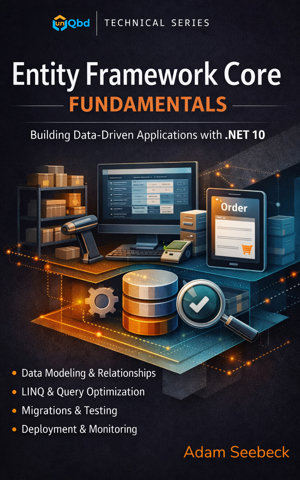
In *Entity Framework Core Fundamentals: Building Data-Driven Applications with .NET 10*, you will learn how to use EF Core to model data, query databases, manage migrations, and integrate your data layer into real applications.
This book takes a practical, project-based approach. Throughout the chapters you will build an Inventory and Order Management System that demonstrates how Entity Framework Core works in real production scenarios.
Inside the book you will learn how to:
• Model entities and configure relationships
• Build and manage DbContext instances
• Create and manage database migrations
• Query data using LINQ and asynchronous operations
• Implement CRUD operations and transactions
• Optimize performance and avoid common EF Core pitfalls
• Integrate EF Core with ASP.NET Core applications
• Test and validate data access code
• Deploy and monitor EF Core in production environments
By the end of this book, you will understand how to design and maintain a reliable data access layer using Entity Framework Core and modern .NET development practices.
This book is ideal for:
• .NET developers learning Entity Framework Core
• ASP.NET Core developers building data-driven applications
• Software engineers modernizing legacy data access code
• Developers who want a practical guide to EF Core and modern database development
Part of the unQbd Fundamentals Series, this book focuses on practical architecture, modern .NET practices, and real-world development patterns.
If you want to build reliable, maintainable, and high-performance data access layers with Entity Framework Core, this book will guide you step by step.
Release DateMarch 16, 2026
GenreSoftware & AI Development
ISBN979-8-90377-010-6
Read and listen on the go with the unQbd app.Get the app