Understand why separate modality-specific indexes fail at cross-modal retrieval
Recognize how Gemini Embedding 2's unified embedding space changes RAG architecture
Identify the five stages of a production multimodal RAG pipeline
Decide between a DIY pipeline and Google's managed File Search tool
Execute an interleaved embedding call that fuses image and text into a single vector
Prerequisites
No additional prerequisites beyond those listed in About This Book.
Concept Overview
Traditional RAG pipelines are text-only. They split documents into text chunks, embed each chunk with a text model, and store vectors in a dense index. When a user asks a question, the system embeds the query text and performs nearest-neighbor search. This pattern works well for Wikipedia articles, support tickets, and code files. It collapses the moment your corpus contains product images, training videos, audio recordings, or scanned PDFs.
When a corpus spans modalities, engineers usually respond by building parallel pipelines. One pipeline embeds text chunks into a text index. Another embeds image features into an image index. A third transcribes audio to text, then embeds the transcript. At query time, the system guesses which index to query, or it queries all three and merges results with heuristic weights. This architecture is fragile. It duplicates infrastructure, fragments relevance signals, and makes cross-modal retrieval (a text query retrieving an image, or an image query retrieving a video segment) nearly impossible to tune.
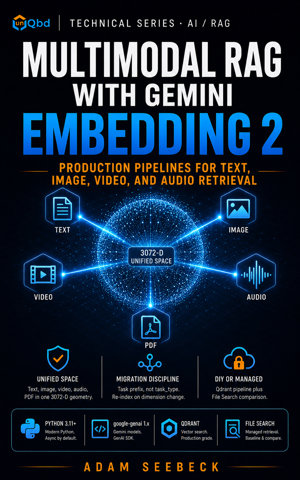
Gemini Embedding 2, generally available since April 22, 2026, replaces this fragmentation with a single unified embedding space. The model accepts text, images, video, audio, and PDF documents in one call. It returns one vector type regardless of input modality. A text query and an image chunk occupy the same 3072-dimensional space. Cross-modal retrieval becomes a standard nearest-neighbor search against one index.
Pass a JPEG or PNG image and a text caption together in the same embed_content request to use interleaved input. The resulting vector represents the combined meaning of both modalities. For production use, the output dimension is configurable via Matryoshka Representation Learning. You can truncate the vector to 1536 or 768 dimensions without retraining the model. The model default is 3072. Choose 3072 for maximum quality, 1536 for balanced storage and recall, or 768 when vector storage dominates your cost model. Changing dimensions later requires a full re-index, so the decision belongs at the start of the project.
A production multimodal RAG pipeline on Gemini Embedding 2 has five stable stages.
Ingest. Source content arrives as text, images, video, audio, or PDFs. Chunking is per-modality: text by an 8,192-token budget, video by 120-second segments (MP4 or MOV), audio by 180-second segments, and PDFs by 6-page batches.
Embed. Each chunk is sent to gemini-embedding-2 with a task-prefix instruction that tells the model whether the content is a query or a document. The output is a single vector.
Index. Vectors land in one vector store collection alongside metadata (modality, source URL, chunk position, content hash).
Retrieve. A query is embedded with the matching task prefix. The vector store returns top-K candidates from all modalities.
Ground. Retrieved chunks are passed to a generative model with citation metadata so the response can reference source positions.
This book builds the DIY pipeline. You should choose the DIY path when you need custom chunking strategies, control over the vector store, hybrid search, a custom evaluation harness, or tenant-isolated retrieval. If your primary goal is operational simplicity and you can accept Google's default chunking and grounding, use the managed File Search tool. File Search became multimodal on May 5, 2026, and it uses gemini-embedding-2 under the hood. It returns grounding metadata such as media_id and page_number (one per cited chunk, accessed through grounding_chunk.retrieved_context) without requiring you to manage a vector database. The tradeoff is control. You cannot tune chunk boundaries, swap the vector store, or inject a custom reranker.
Most teams skip this. That is why their RAG pipelines silently degrade.
During a recent audit of a multimodal search system, I found three separate FAISS indexes where one Qdrant collection would have sufficed. Separate indexes for each modality are a tax you do not need to pay.
Step-by-Step Implementation
Install the unified SDK before running any examples. Pin the package in your requirements file.
pip install google-genai
Add the dependency to requirements.txt:
google-genai>=1.0,<2.0
Step 1: Configure the Pipeline
Pipeline configuration is the first code artifact. Freezing the config makes it hashable and prevents accidental mutation once indexing begins. The pipeline default dimension is 1536, the recommended balance between quality and storage. The model default is 3072. The model ID is pinned to gemini-embedding-2; never default to a variable here.
A frozen dataclass forces you to recreate the object when a parameter changes. That immutability prevents a class of bugs where a running job mutates shared state mid-flight.
Hardcode the model ID. Variables here are a liability. The tenant_id default of "tenant-default" keeps single-tenant prototypes running without ceremony; production deployments override it per request before records are built. Chapter 7's payload schema requires this value on every indexed record, so wiring it into the config now keeps the contract consistent across ingestion and indexing.
Step 2: Define the Pipeline Skeleton
DIYMultimodalPipeline defines the five-stage contract through stub methods. Each stage accepts and returns plain dictionaries so later chapters can evolve the schema without rewriting type hierarchies.
The stubs enforce structure. Chapter 4 implements ingest and embed for text and PDFs. Chapter 7 implements index with Qdrant. Chapter 8 implements retrieve. Chapter 9 implements ground.
Step 3: Embed Interleaved Image and Text
Unlike text-only predecessors, Gemini Embedding 2 supports interleaved embedding. The following function embeds a JPEG image and a text caption in a single request. The task prefix tells the model this is a document-side embedding for search retrieval.
from google import genai
from google.genai import types

def embed_interleaved_demo(
    config: PipelineConfig,
    jpeg_path: Path,
    caption: str,
) -> list[float]:
    if config.use_vertex:
        client = genai.Client(
            vertexai=True,
            project=config.project,
            location=config.location,
        )
    else:
        client = genai.Client()

    image_bytes = jpeg_path.read_bytes()

    result = client.models.embed_content(
        model=config.model_id,
        contents=[
            types.Part.from_bytes(data=image_bytes, mime_type="image/jpeg"),
            f"task: search result | document: {caption}",
        ],
        config=types.EmbedContentConfig(
            output_dimensionality=config.output_dimensionality
        ),
    )

    [embedding_obj] = result.embeddings
    return embedding_obj.values
After the call, the vector occupies the same space as text-only or audio-segment embeddings. That property is what makes cross-modal retrieval possible. Both the image and the caption contribute to the vector. Omit the caption, and only visual features remain.
Step 4: Choose Between DIY and File Search
Architecture selection belongs at the start of the project, not after indexing is complete. The helper below returns "diy" when any control requirement is true. Otherwise, it returns "file_search".
When the answer is "file_search", the managed tool surface looks like this. The snippet below is a conceptual minimal flow; the exact API may vary by SDK version.
from google import genai
from google.genai import types

client = genai.Client()

# Managed File Search call; grounding_chunk.retrieved_context exposes media_id and page_number
response = client.models.generate_content(
    model="gemini-2.5-flash",
    contents="Summarize the quarterly earnings document.",
    config=types.GenerateContentConfig(
        tools=[types.Tool(file_search=types.FileSearch())],
    ),
)
File Search handles embedding, storage, and retrieval internally. It is the right choice when you can accept Google's chunking defaults and do not need a custom evaluation harness or direct control over retrieval metrics. You still need to evaluate end-to-end grounded generation quality in production regardless of the path you choose. Evaluation is non-negotiable.
Full Example
The complete script combines all four symbols into one runnable module. Copy it into ch1_orientation.py. Set a valid GEMINI_API_KEY environment variable before uncommenting and running the interleaved embedding call.
PipelineConfig centralizes decisions that are expensive to change later. DIYMultimodalPipeline establishes the contract for the five stages, while embed_interleaved_demo shows the actual API call pattern. choose_architecture forces an explicit decision about control versus convenience. Together they form the reference structure that every subsequent chapter extends. Treat this skeleton as your contract.
Run the script from VS Code with this launch.json configuration:
Never maintain separate indexes per modality. Maintaining distinct indexes for text, image, and audio fragments your retrieval space and forces heuristic merging at query time. Use a single collection and let the unified embedding space handle cross-modal similarity.
Do not mix v1 and v2 vectors in the same index.gemini-embedding-001 and gemini-embedding-2 produce incompatible vectors. Re-index completely when migrating.
The v2 model does not accept `task_type`. Encode the task as a prompt prefix inside contents.
Do not default to 3072 dimensions without measuring Recall@K and MRR. The model default is 3072. For many corpora, 1536 offers equivalent retrieval quality with half the storage. Measure Recall@K and MRR before you commit to a dimension.
Avoid submitting unsupported image or video formats. Gemini Embedding 2 accepts PNG and JPEG images, plus MP4 and MOV video. Other formats fail at the API boundary.
A mismatch in task prefixes between query and document breaks retrieval. Both sides of a retrieval pair must use the same task family (e.g., task: search result). A query prefixed with task: classification will not align with documents prefixed with task: search result.
File Search is not a substitute for all evaluation. If you need custom chunk sizes, hybrid sparse-dense search, or a private vector store, File Search cannot accommodate. Choose DIY. Regardless of the path, evaluate end-to-end retrieval and grounding quality in production.
Last quarter I debugged a failed v1-to-v2 migration where every broken call still passed task_type=RETRIEVAL_QUERY.
Performance and Production Considerations
Dimensionality is a one-way door. Once you persist embeddings at 768 or 1536, moving to 3072 requires a full re-index. Start with 1536 as the pipeline default, run a recall evaluation, and only increase if Recall@K and MRR justify the storage cost.
Combine modalities in one request to reduce API calls, but respect the joint limits. A single request can contain up to 8,192 text tokens, 6 images (PNG or JPEG only), 120 seconds of video (MP4 or MOV only), 180 seconds of audio, and 6 PDF pages. Exceeding any limit returns an error. Chunk large assets before embedding.
Expect operational overhead with DIY pipelines. You own chunking, index maintenance, reranking, and evaluation. File Search removes this burden but constrains customization. The decision is architectural, not cosmetic.
Cache every embedding to avoid repeated API charges. Compute embeddings once and key them by SHA-256 of the content bytes, model ID, dimension, and task prefix. Re-indexing, eval re-runs, and incremental updates avoid redundant embedding charges after the first pass. A minimal cache key helper looks like this:
Cross-modal retrieval shifts the bottleneck to metadata filtering. When one index serves all modalities, retrieval latency is uniform but result filtering becomes critical. Plan for metadata fields such as modality, tenant_id, and source_url from day one.
Summary
Gemini Embedding 2 replaces fragmented modality-specific indexes with a single unified embedding space. Text, images, video, audio, and PDFs all map to the same vector geometry, which makes cross-modal retrieval a standard nearest-neighbor operation. A production pipeline has five stages: Ingest, Embed, Index, Retrieve, and Ground. The DIY path gives you control over chunking, vector store behavior, hybrid search, and evaluation. File Search trades control for operational simplicity. The configuration decisions you make in this chapter, especially output dimensionality and architecture selection, are expensive to reverse once data is persisted. Establish the skeleton now, and treat every embedding as a long-lived artifact.
Key Terms
Unified embedding space. A single vector geometry shared by text, images, video, audio, and PDFs. Gemini Embedding 2 maps all modalities into one space, which makes cross-modal nearest-neighbor search possible without separate indexes.
Interleaved input. Multiple modalities passed together in a single API request. A call can include PNG or JPEG images, MP4 or MOV video clips, audio, PDF pages, and text tokens in one payload.
Matryoshka Representation Learning (MRL). A training technique that makes lower-dimensional prefixes of a full embedding vector valid representations. It allows runtime truncation to any size from 128 to 3072 without retraining.
Task prefix. A prompt instruction prepended to content to declare its role. Examples include task: search result | query: and task: search result | document:. This replaces the v1 task_type parameter.
Cross-modal retrieval. Retrieving content from one modality using a query from another modality. A text query retrieving a relevant image chunk is one example.
File Search. Google's managed RAG tool that uses gemini-embedding-2 for embedding, storage, and retrieval. It became multimodal on May 5, 2026, and returns grounding metadata such as media_id and page_number through each grounding_chunk.retrieved_context.
Grounding metadata. Citation information returned with retrieval results that points to the source location. Examples include page numbers for PDFs and media identifiers for images or video.
Mini Quiz
A team needs custom chunking boundaries for legal PDFs and requires a private Qdrant instance for tenant isolation. Which architecture should they choose?
A. File Search with default settings
B. Managed Vertex Vector Search without custom chunking
C. A hybrid of v1 and v2 embedding models
D. DIY pipeline with a custom ingest stage
Which statement about output_dimensionality in EmbedContentConfig is true?
A. It defaults to 768 and can be increased to 3072 without re-indexing
B. It produces a separate vector for each modality in an interleaved request
C. It requires retraining the model when changed from 1536 to 768
D. It supports truncation to any size between 128 and 3072 via Matryoshka Representation Learning
Which statement about input limits for gemini-embedding-2 is correct?
A. A single request can contain up to six JPEG images and 120 seconds of MP4 video
B. WebP images are supported if they are under 5 MB
C. Audio clips are limited to 60 seconds per request
D. PDF documents are limited to 10 pages per call
A query is embedded with the prefix task: search result | query: .... What prefix must the document side use for retrieval to succeed?
A. task: classification | document: ...
B. No prefix is required on the document side
C. task: code retrieval | document: ...
D. task: search result | document: ...
What is the recommended practice when migrating from gemini-embedding-001 to gemini-embedding-2?
A. Append v2 vectors to the existing v1 index
B. Run both models in parallel and average the vectors
C. Re-index the entire corpus because v1 and v2 geometries are incompatible
D. Use task_type parameters to maintain backward compatibility
Answers are provided in the Answer Key at the end of the book.
Activity
Create a new file named ch1_orientation.py and copy the Full Example from this chapter into it.
Extend choose_architecture with an additional boolean parameter needs_custom_reranker. Return "diy" when this parameter is True.
Locate any JPEG image on your local filesystem. Update the commented-out call in main() to point to this file and provide a descriptive caption.
Uncomment the interleaved embedding call and execute the script with your GEMINI_API_KEY environment variable set.
Add a print statement that displays the first five values of the returned vector rounded to four decimal places.
Verify that len(vector) equals config.output_dimensionality. If it does not, check that you passed output_dimensionality explicitly in EmbedContentConfig.
Gemini Embedding 2 collapses text, images, video, audio, and PDFs into a single 3,072-dimensional space. Cross-modal retrieval becomes a standard nearest-neighbor query, not three indexes stitched together with heuristic merge rules. This book teaches the production patterns for the GA model (April 22, 2026), the new google-genai SDK, and the multimodal File Search tool that launched May 5, 2026.
You build a real pipeline end to end: a five-stage Ingest → Embed → Index → Retrieve → Ground architecture, a tenant-aware Qdrant collection at the Matryoshka dimension you choose, hybrid dense + BM25 retrieval with Reciprocal Rank Fusion, an LLM-as-judge reranker, agentic multi-hop chains with strict budget enforcement, and a Vertex AI deployment path with VPC Service Controls and CMEK. A multimodal corpus threads all 12 chapters, so every pattern lands on a working system.
What you build:
- A unified embedding space replacing modality-specific indexes, with cross-modal retrieval as a standard nearest-neighbor operation
- Tenant-aware retrieval: tenant_id threads from config through every record into Qdrant payload filters
- Per-modality ingest: token-budget text chunking, 6-page PDF batching, PNG/JPEG magic-number validation, 180-second audio and 120-second MP4/MOV video segments with timestamp metadata for grounding citations
- The v1 → v2 migration: model ID, SDK package, default dimension, and the task_type= → prompt-prefix swap, validated in code
- Qdrant indexing with deterministic UUID5 point IDs, payload indexes, exponential backoff retry, and the migration from search() to query_points()
- Hybrid dense + BM25 retrieval with Reciprocal Rank Fusion, LLM reranking on the top fused candidates, and bounded agentic multi-hop loops with hop, latency, and cost budgets
- A complete evaluation harness for Recall@K, MRR, negative-pair gaps, baseline persistence, and automatic regression detection
- Production hardening: per-modality cost modeling, an AdaptiveLimiter that throttles down on quota errors, deterministic cache invalidation, drift monitoring, and blue-green re-indexing
- Vertex AI deployment with IAM service principal binding, CMEK on the embedding storage path, VPC Service Controls, and Cloud Audit Logs
- A side-by-side comparison of DIY Qdrant retrieval and the managed File Search tool, with chunk.retrieved_context.media_id and page_number grounding metadata
What makes this book different:
- One unified vector space, not three. Most RAG books still teach separate text / image / audio indexes with merge heuristics. Gemini Embedding 2 makes that obsolete. This book rejects parallel-index designs explicitly.
- Migration discipline. The v1 → v2 deltas are pinned and validated in code. Migration is a chapter, not an afterthought.
- DIY versus managed, decided once. The architecture choice is forced at the start, encoded in a choose_architecture helper, and revisited only when the operational profile changes.
- Evaluation built in. Recall@K, MRR, and negative-pair gap analysis ship as code with baseline persistence and regression detection. Most RAG pipelines silently degrade; this one fails CI when it does.
Prerequisites: Intermediate Python (3.11+). Familiarity with vector embeddings and the basic RAG pattern. A Gemini API key or a Google Cloud project with Vertex AI access. No prior multimodal-embedding experience required.
Multimodal RAG isn't three pipelines stitched together. It's one embedding space that already speaks every modality. Build for the unified space first.
Release DateMay 9, 2026
GenreSoftware & AI Development
ISBN979-8-90377-041-0
Read and listen on the go with the unQbd app.Get the app